
How to order
From picking your cigars to signing for the box: here's how ordering from the online humidor works, with pictures of each step. Quick answers are in the FAQ.
-
Browse the humidor
The shop lists every cigar and accessory on our shelves, at lounge prices.
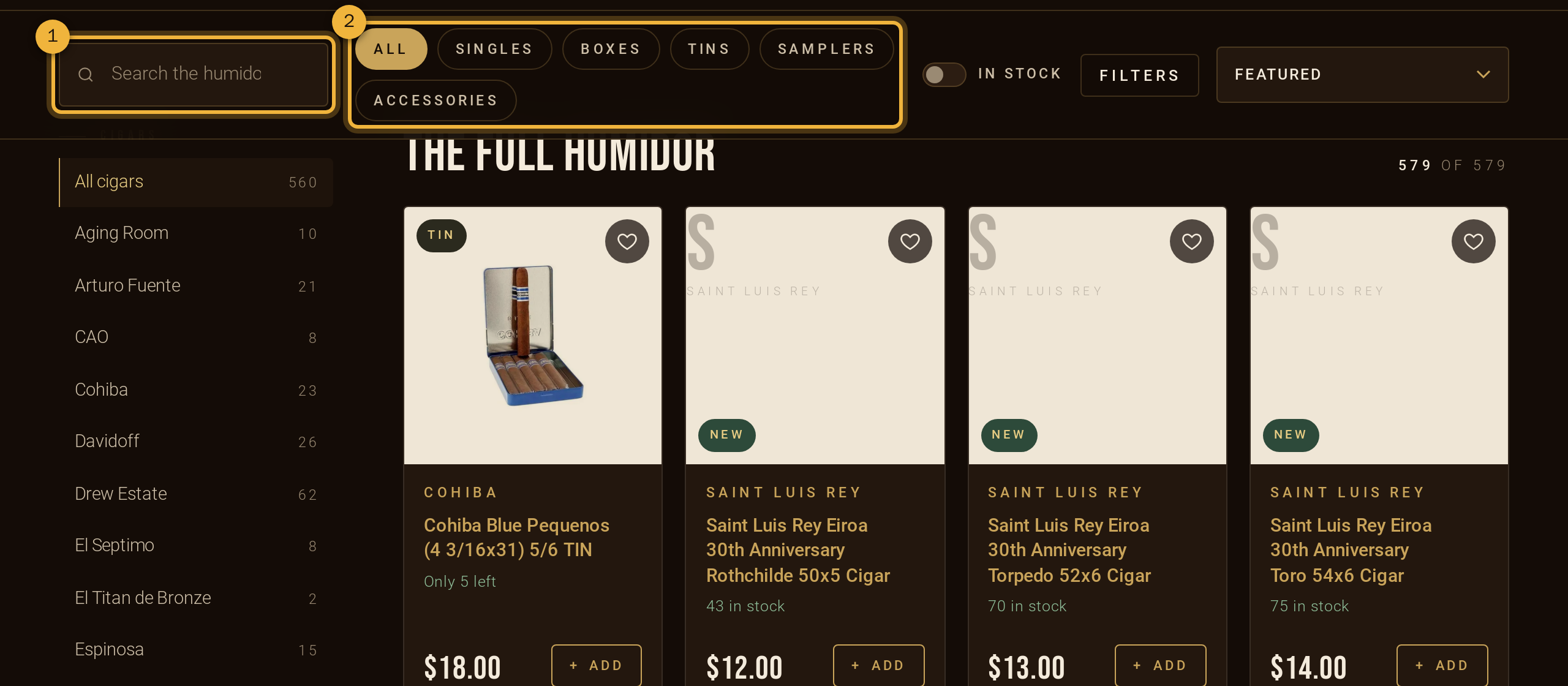
① Search ② Pick a format. The houses (brands) are listed on the left. - Search ① by name, brand, size or flavor, for example “maduro robusto”.
- Format ②: Singles, Boxes, Tins, Samplers or Accessories. Pick a house on the left, or tick In stock.
- Filters narrows it down by strength, wrapper, country, shape, ring gauge, length, price and flavor. The Featured menu sorts by newest, strength, price or name.
- Each product shows its stock: 12 in stock, Only 2 left, or Sold out. Cigars marked New just arrived; see them all under New.
- Tap the ♡ on any cigar to save it to your wish list.
-
Choose your cigars
Tap a product to open it. You'll see the price, stock, a description and Cigar details: line, strength, shape, size, wrapper, binder, filler and country. The strength bar runs from mild to full.
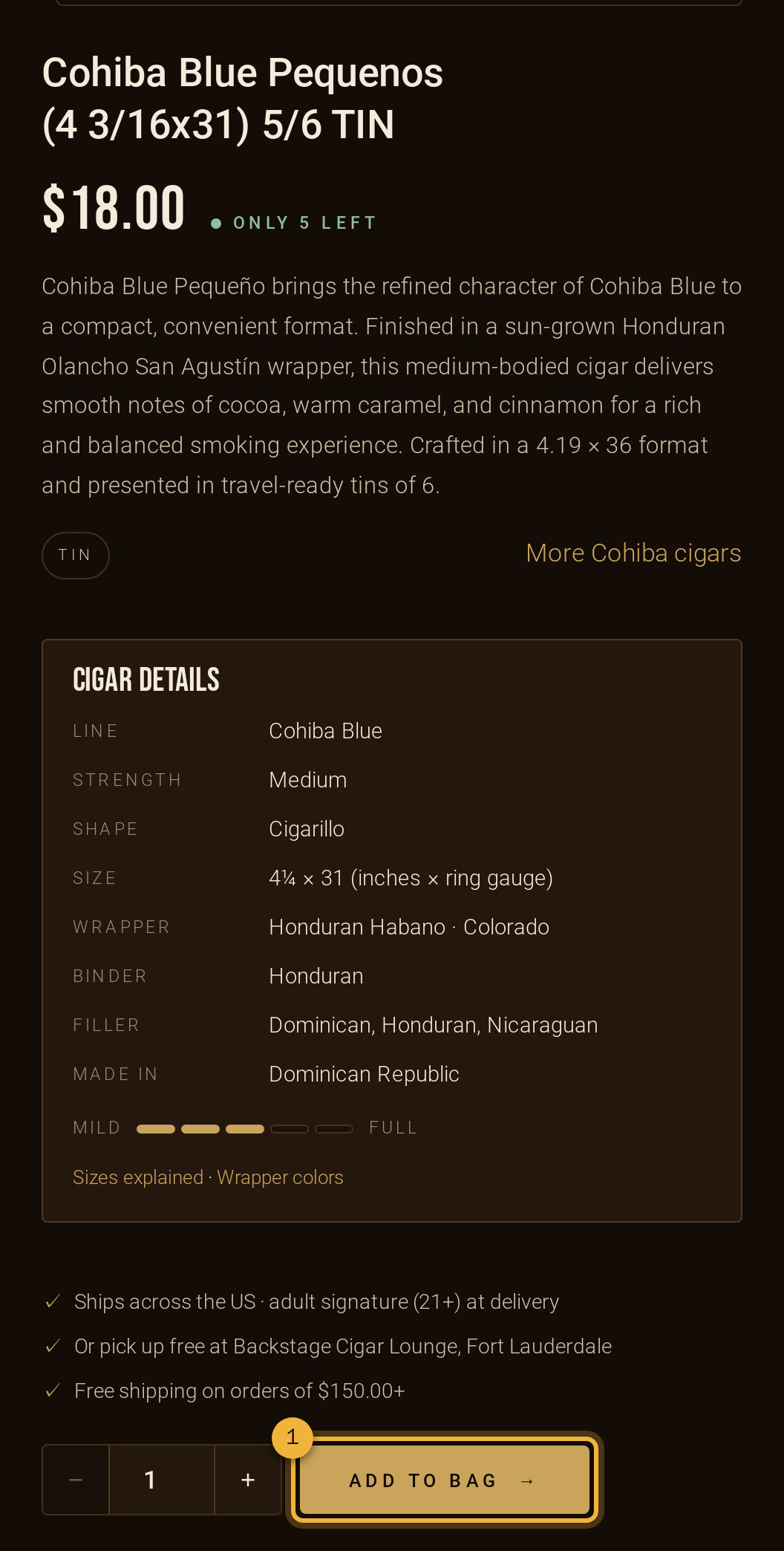
① Choose a quantity, then Add to bag. On the shop page you can also tap + Add on a card to add one straight away.
-
Check your bag
Your bag slides open whenever you add something. Open it any time with Bag at the top.
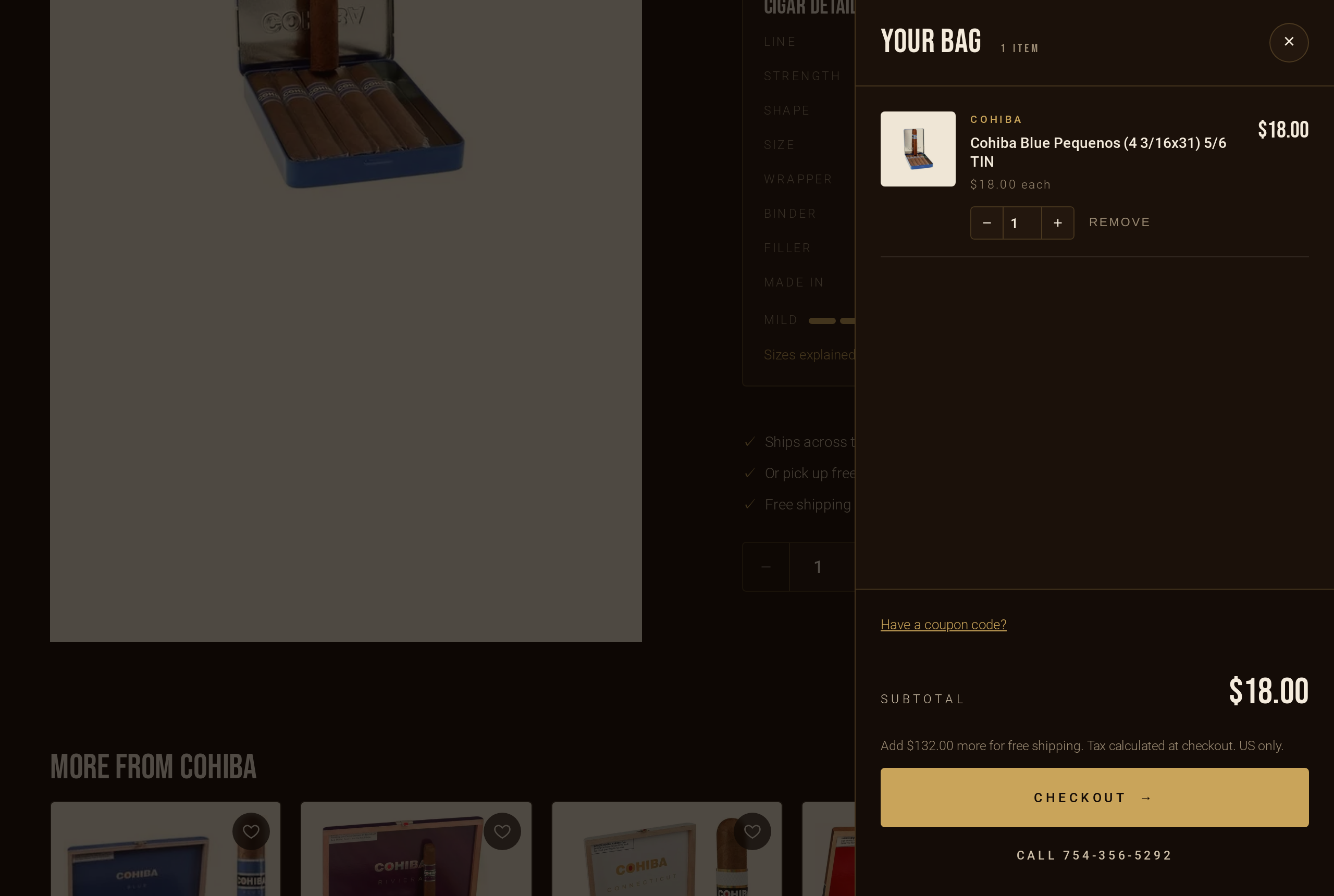
Change quantities with − / +, remove items, or add a coupon code. - Quantities are limited to what's in stock.
- Have a code? Tap Have a coupon code? in the bag, or enter it at checkout.
- Tap Checkout when you're ready.
-
Sign in, create an account, or continue as a guest
An account is optional, but it saves your addresses, speeds up checkout and shows your orders. You can:
- Create an account now, or tick Create an account during checkout. You'll confirm your email from a link we send.
- Sign in with your password, or have a one-time sign-in link emailed to you.
- Check out as a guest. You can still find the order later by signing in with the same email.
On a shared computer, use Sign out when you're done: it clears your name, birth date, address and other checkout details from that browser. Your bag is kept.
-
Enter your details
- Email and mobile phone for order updates.
- Legal name and date of birth, exactly as on your government ID. We use these to check you're 21 or older.
-
Ship it, or pick it up
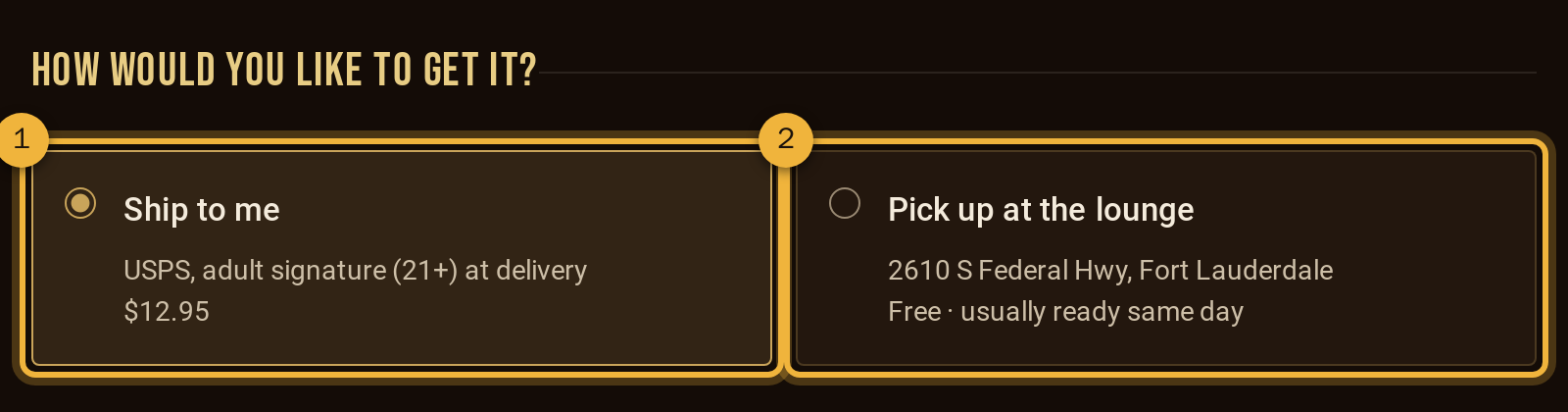
① Ship to me by USPS ② Free pickup at the lounge. - Ship to me ①: USPS anywhere we ship in the US. Someone 21+ must sign for it.
- Pick up at the lounge ②: free, at 2610 S Federal Hwy, Fort Lauderdale, usually ready the same day. We email you when it's ready. Bring a photo ID; your card is charged only when you collect it.
-
Your shipping address
Start typing your street and pick your address from the list. We fill in the rest for you.
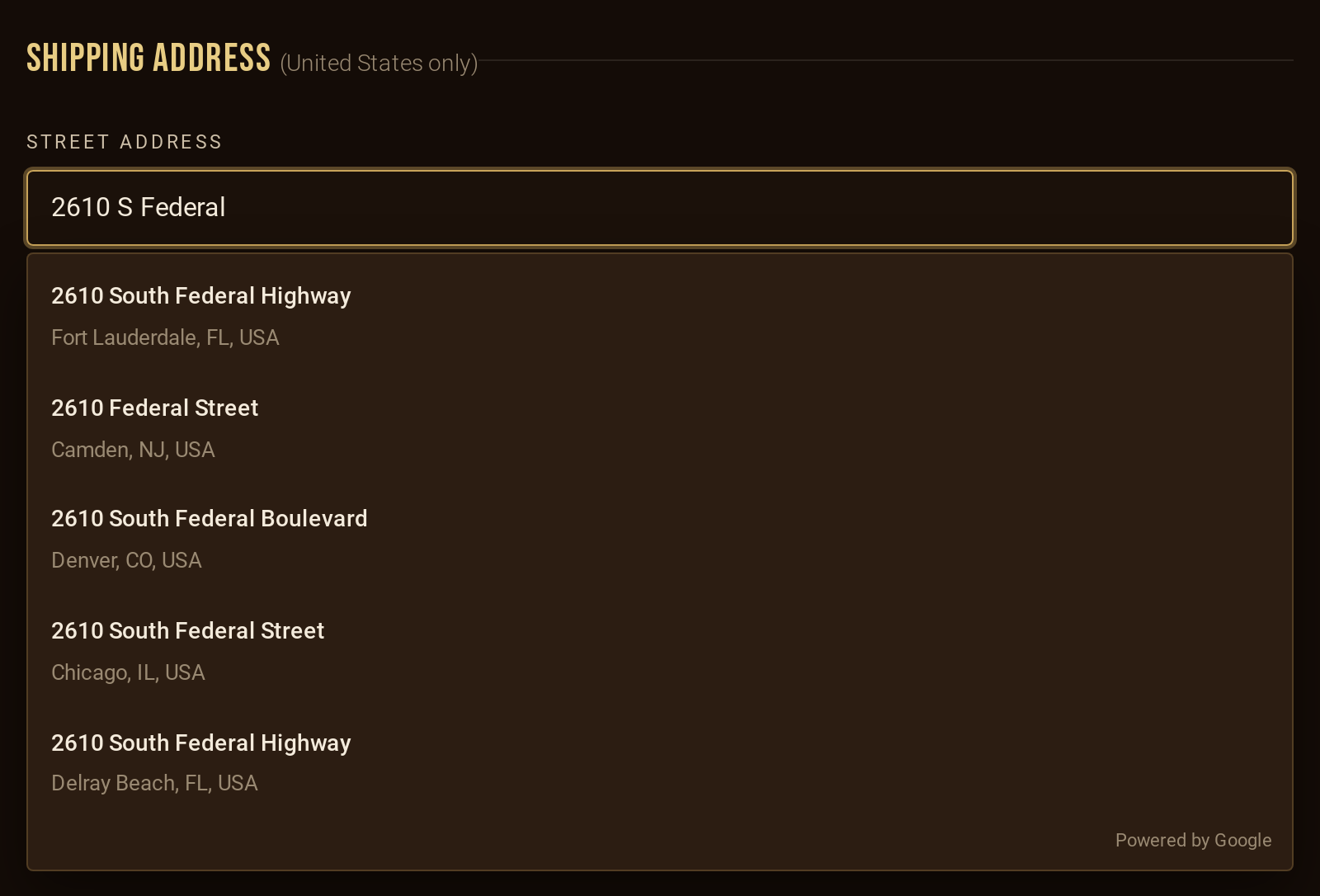
Suggestions appear as you type. Then USPS checks it. If anything was missing or misspelled (city, state, ZIP), we fill in the verified address automatically and show ✓ Address completed and verified by USPS. Tap Undo if you'd rather keep what you typed.
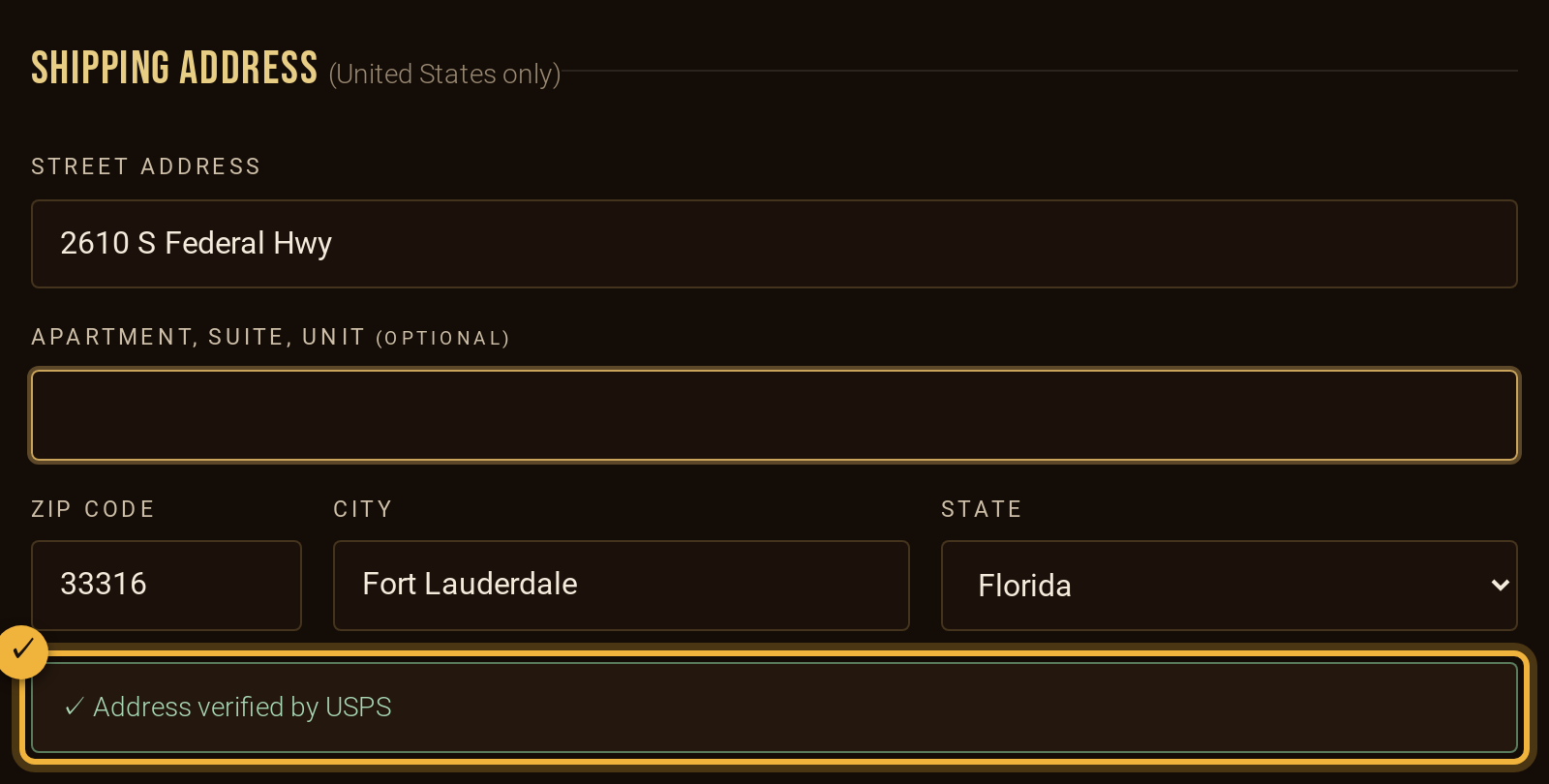
✓ The address is checked and filled in. - No suggestion? Type the street and ZIP; we fill in the city and state.
- If the building needs an apartment or suite number, we'll ask for it.
- Signed in? Pick one of your saved addresses instead.
Tick the box confirming you're 21+ and agree to the terms, then Continue to review.
-
Review and pay securely
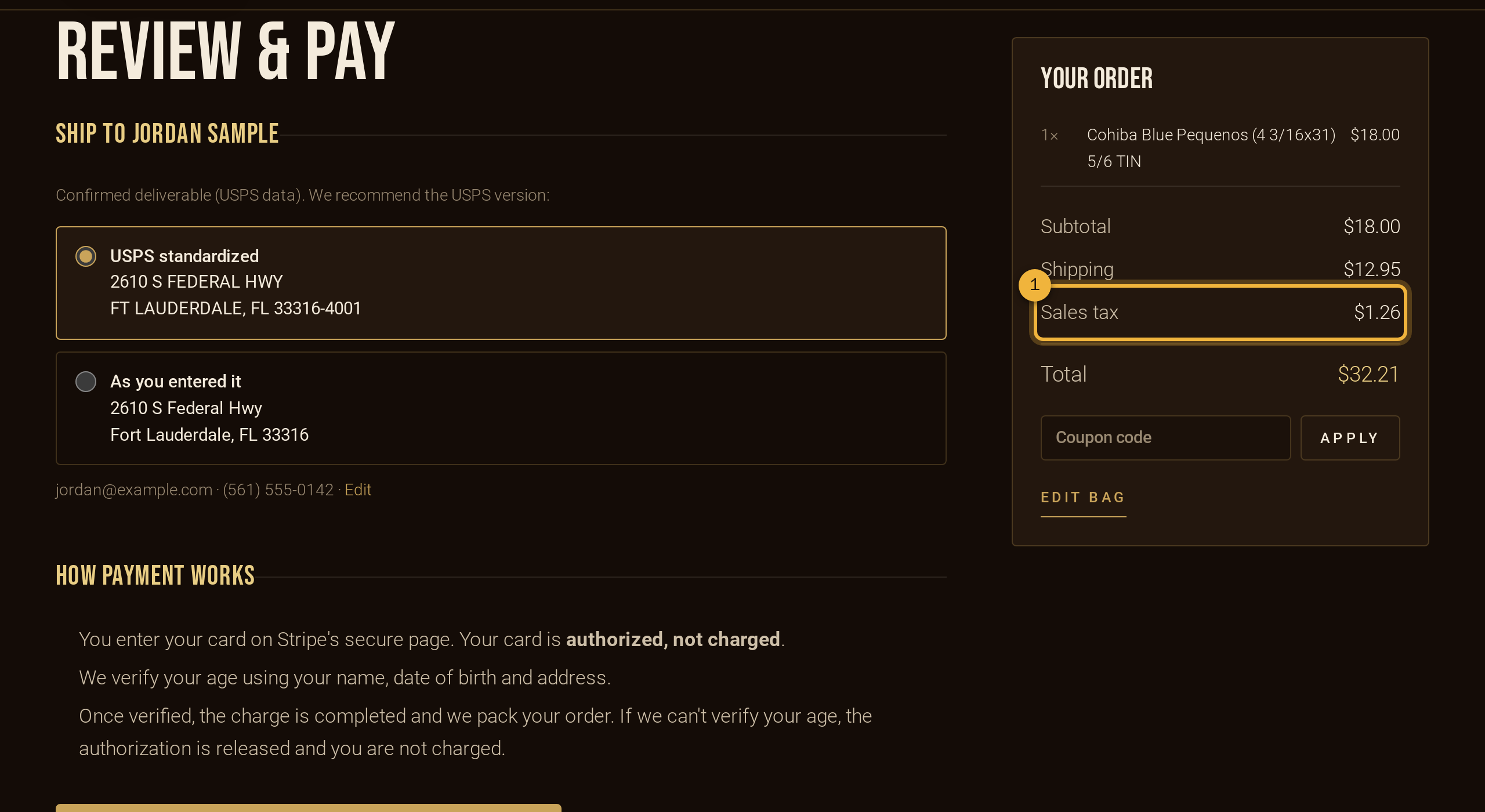
① Sales tax is worked out for your address. - Address: choose the USPS version (recommended) or the address as you typed it.
- Sales tax ① is calculated for your exact address: the state rate plus any county or city tax. Pickup orders are taxed at the lounge's rate. In Florida, shipping isn't taxed.
- Apply a coupon here if you haven't already.
- Tap Continue to secure payment to enter your card on Stripe, our secure payment page. If you're signed in, Stripe can save your card for next time.
Your card is authorized, not charged, at this point. You'll see a pending amount until we've confirmed your age.
-
Age verification
Right after you pay, we confirm you're 21+ on your order page. It's usually instant: we match your name, date of birth and address against public records. If records can't confirm it, you'll be asked for a photo of your ID and a quick selfie, handled securely by Veratad (we keep only the result). Once your account has passed, you won't be asked again. Then one of two things happens:
- Verified: your card is charged, you get a confirmation email, and we start packing your order.
- We need more: we email you a link. Sign in and open Account → Orders; the order says Age verification needed ①.
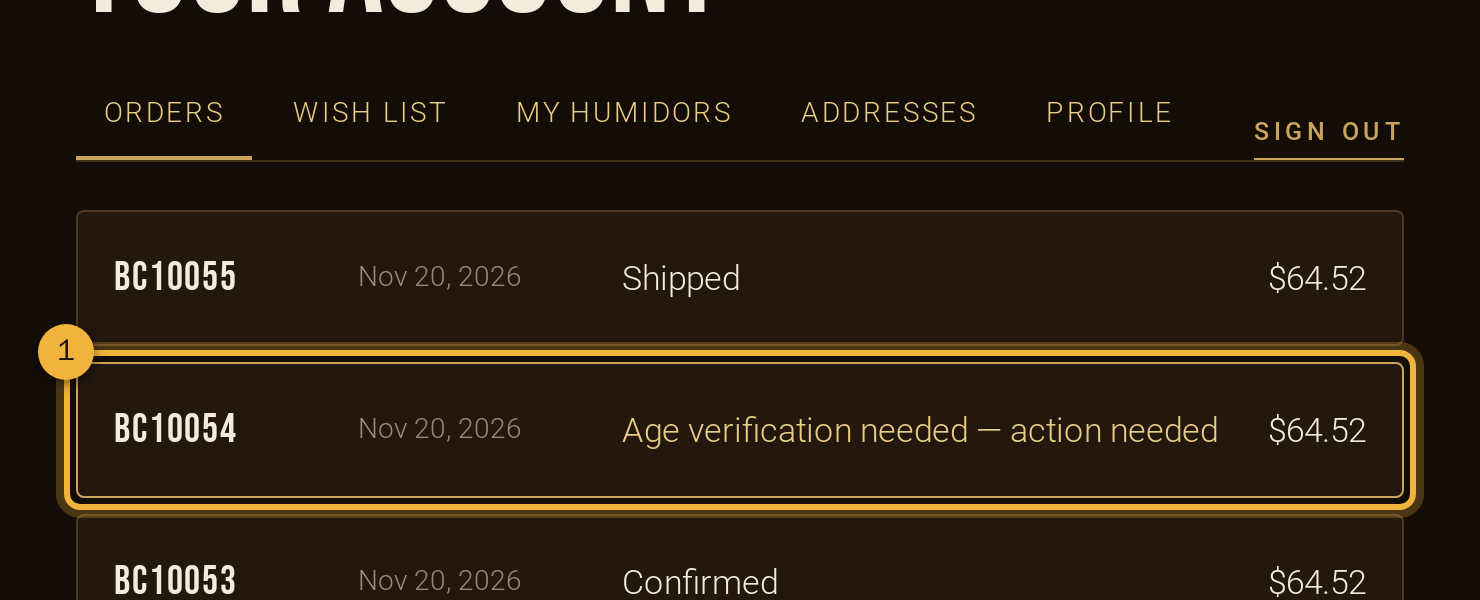
① The order that needs your ID. Open it and upload a clear photo of the front of your driver's license, state ID or passport ①. Only our staff can see it, and it's deleted as soon as your order is reviewed.
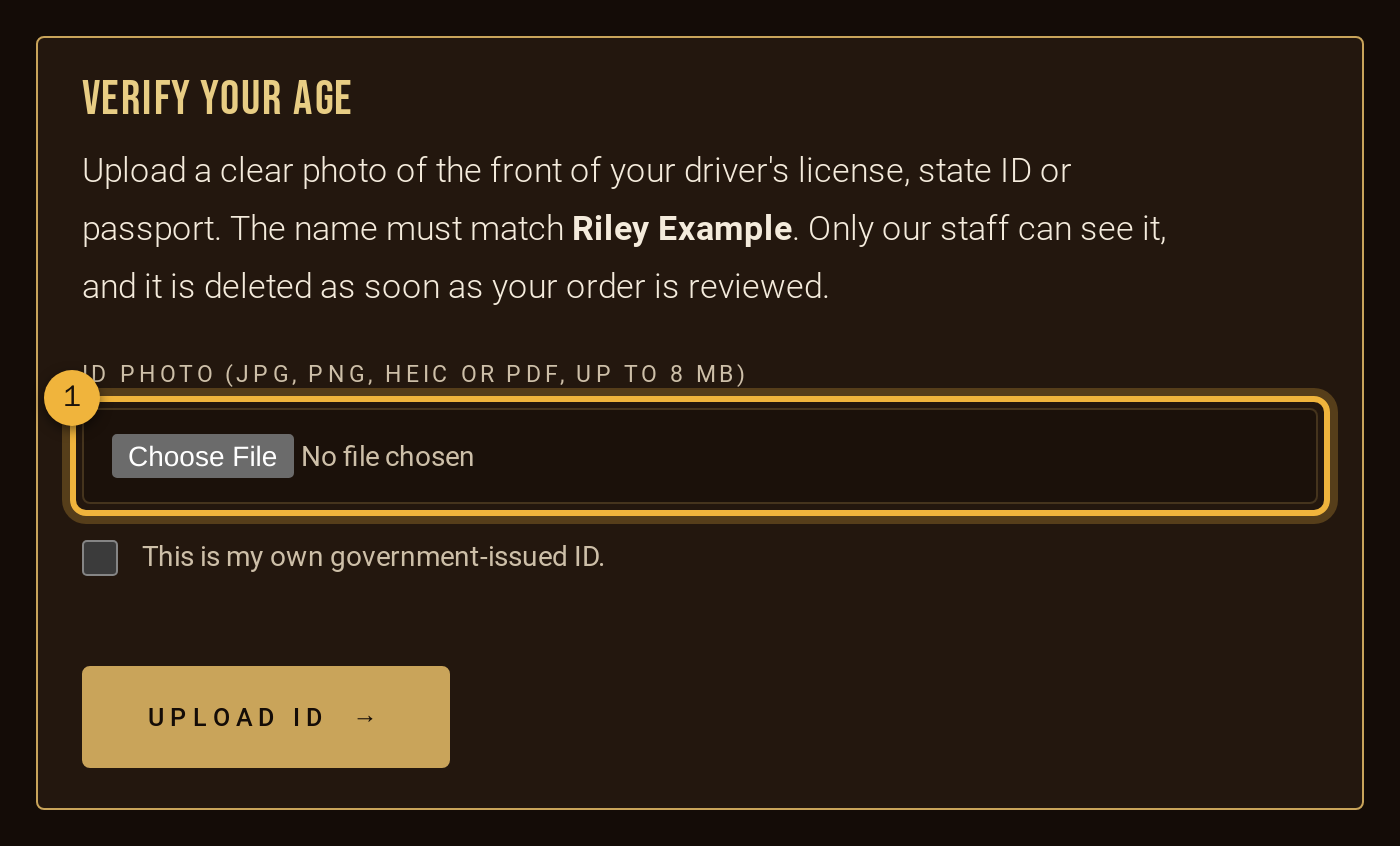
① Choose the photo, tick the box, then Upload ID. If we can't verify your age, the order is cancelled and the hold on your card is released, so you're never charged.
-
Shipping, tracking and delivery
We ship by USPS with Adult Signature Required. When your order leaves the lounge you'll get an email with the tracking number. You can also follow it under Account → Orders ①, and download a receipt there.
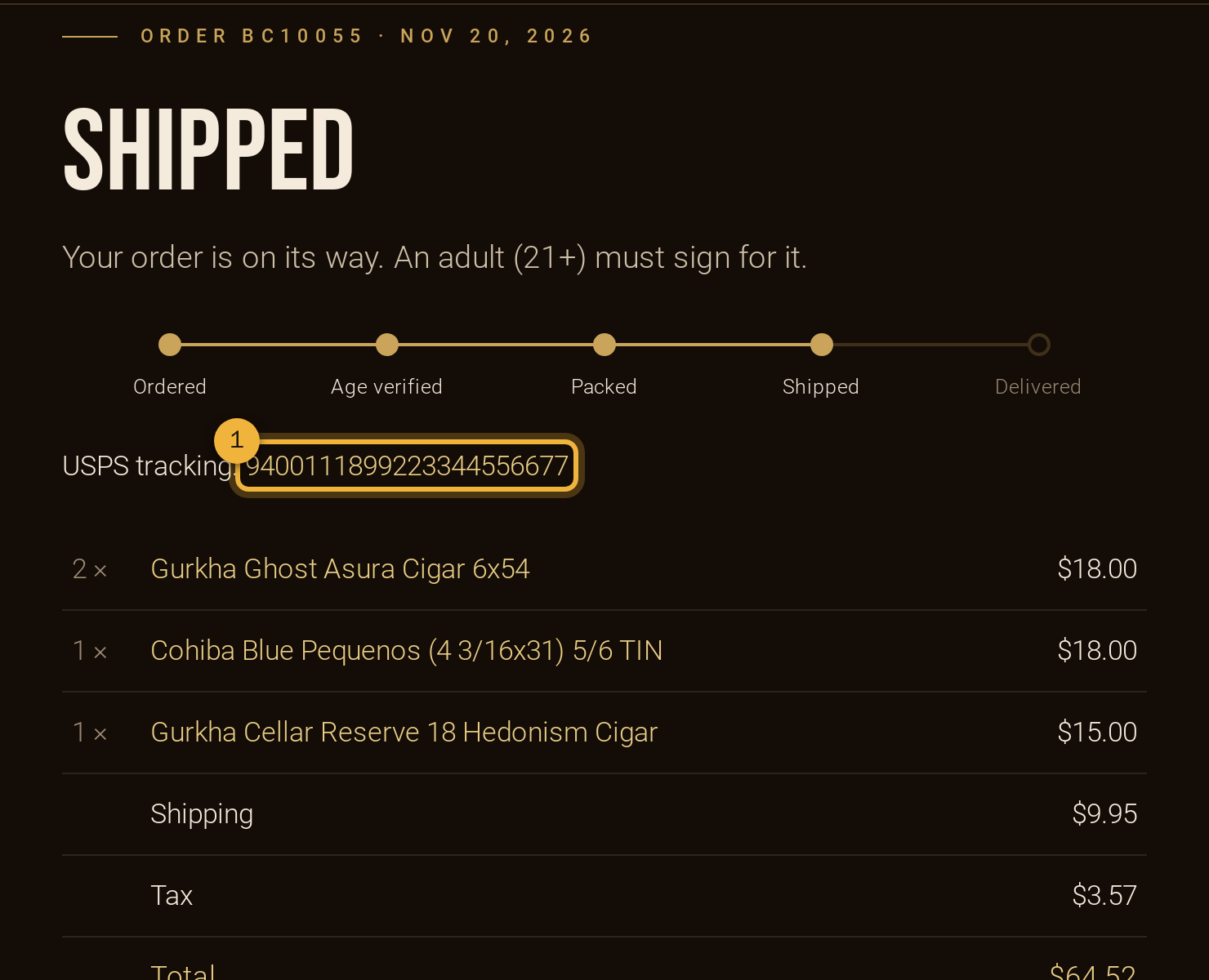
① Tap the tracking number to follow it on USPS. Your order page shows the latest USPS update, and we email you when it's delivered (or if USPS couldn't deliver because nobody 21+ was there to sign).
Someone 21 or older with a valid ID must sign. If no one's home, USPS leaves a notice so you can arrange redelivery or pick it up at the post office.
Picking up? Wait for the “ready for pickup” email, then come by during opening hours (Daily 11:30am – 11:30pm) with your photo ID. Only the person named on the order can collect it.
Need a hand?
Call 754-356-5292 or email info@backstagecigars.com. See also the FAQ.
Start shopping →